

What Is Staffing Automation?
Staffing automation uses software and AI to handle the repetitive tasks in recruitment — screening resumes, conducting first-round interviews, scheduling follow-ups, and syncing candidate data with your ATS. It replaces the manual steps that eat 15–20 hours per recruiter per week, letting agencies process more candidates without adding headcount.
A quick clarification: “automation staffing” sometimes refers to staffing agencies that place workers in automation and manufacturing roles. This guide is about something different — automating the recruitment process itself so your recruiters spend less time on repetitive screening and more time on the work that actually closes placements.
The math is simple. If your recruiters spend half their week reading resumes and conducting phone screens, that's time not spent on client relationships, candidate coaching, or business development. Automated screening handles the repetitive loop so recruiters can focus on the high-value activities that drive revenue.
What You Can Actually Automate
Here's what modern staffing agencies are automating — and what still needs a human.
- First-round candidate screening — AI evaluates communication, skills, and role fit via structured interviews
- Resume parsing and pre-qualification — Automated resume scoring against job requirements before the interview
- Interview scheduling and follow-up — Candidates self-schedule from a link; reminders sent automatically
- Candidate communication — Status updates, rejection notices, and next-step emails triggered by workflow rules
- Scorecard generation and ranking — AI produces scored evaluations with category breakdowns for every candidate
- ATS data sync — Results, transcripts, and candidate records flow to your ATS automatically via integrations
First-Round Candidate Screening
Automated candidate screening is the highest-impact automation for staffing agencies. Instead of scheduling and conducting 30-minute phone screens, candidates receive a link to complete a structured AI virtual recruiter interview on their own time. The system evaluates responses across five categories — Communication Skills, Domain Expertise, Problem Solving, Cultural Fit, and Professionalism — and produces a 0–100 score with color-coded badges.
Resume Parsing and Pre-Qualification
Before the interview even starts, automated AI resume screening can parse resumes (PDF and DOCX up to 5MB), score them against job requirements, and filter candidates through a configurable pass-rate threshold. Only candidates who meet your minimum criteria advance to the AI interview — saving interview credits and recruiter attention for qualified applicants.
Interview Scheduling and Follow-Up
Candidates receive a link and complete the screening interview whenever it works for them — evenings, weekends, from their phone. No phone tag, no voicemail chains, no scheduling conflicts. Automated reminders ensure completion rates stay high without recruiter follow-up.
Candidate Communication
Automated workflows handle status updates, rejection notices, and next-step instructions. Candidates aren't left in the dark wondering what happened after they applied. Customizable messaging means your agency's tone stays consistent across every touchpoint.
Scorecard Generation and Ranking
Every completed interview produces a detailed scorecard with category-level breakdowns and an overall 0–100 score. Auto-triage routes candidates instantly: shortlist at 70+, reject at 40 or below, manual review for the middle band. Recruiters review ranked shortlists instead of raw resume piles — the same structured approach recommended for strategic interview questions.
ATS Data Sync
Recruitment workflow automation is only as good as its integration with your existing tools. TalentSprout connects natively to Zoho Recruit via OAuth — auto-syncing interview results, auto-creating candidate records, and supporting multi-region deployments. For other platforms, webhook events (interview.completed, interview.abandoned) and API access enable real-time data flow.
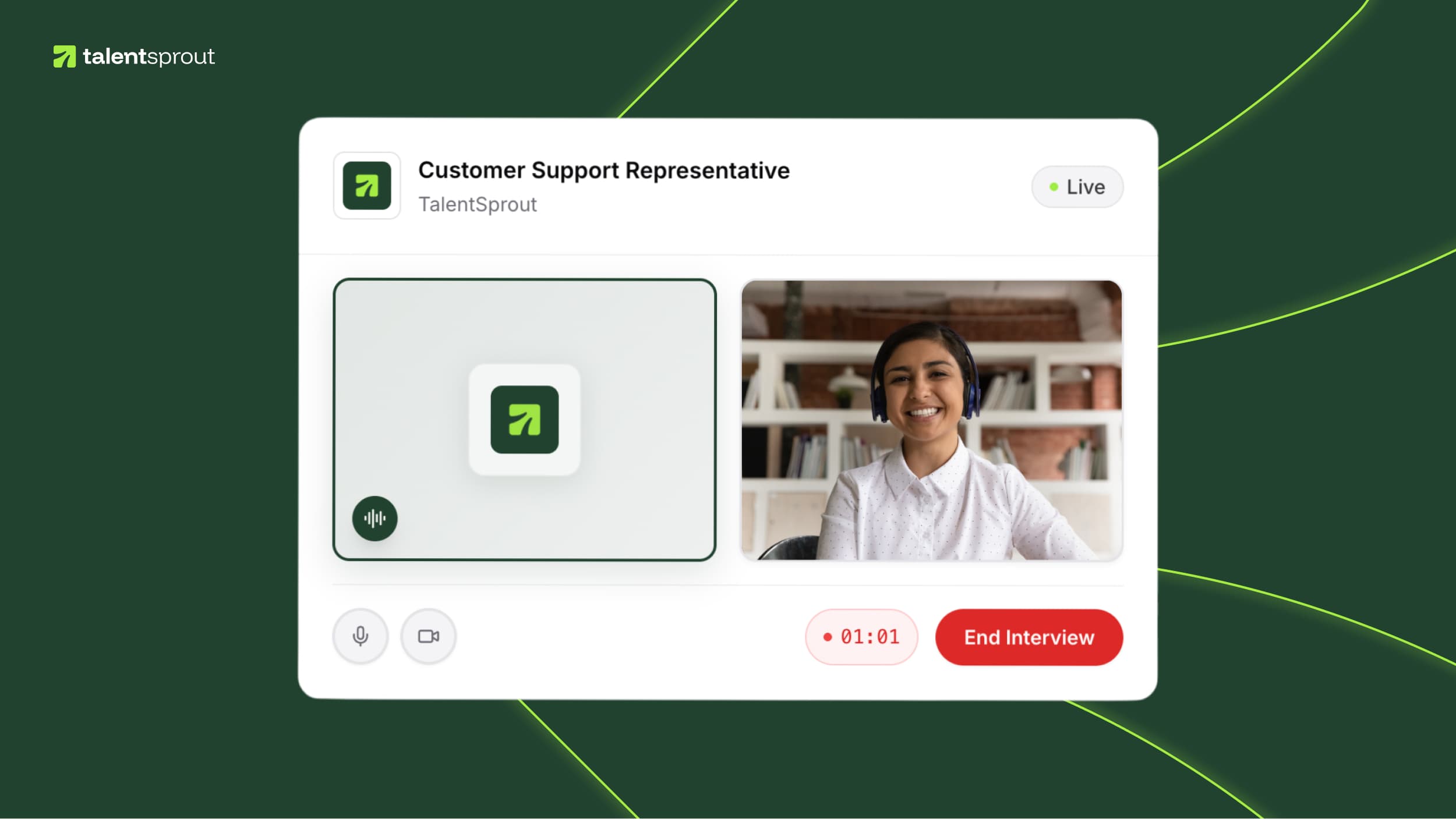
TalentSprout evaluates candidates across five structured criteria — no two screens are different.
Why Agencies Hesitate — And Why They Shouldn't
The biggest barrier to recruitment automation isn't technology — it's trust. Here are the three fears we hear most, and the data that addresses each one.
“Candidates will drop off if they hit an AI screen instead of a real person.”
The reality: completion rates are higher, not lower.
Candidates complete AI interviews on their own schedule — evenings, weekends, from their phone. There's no phone tag, no missed calls, no voicemail chains. Compare that to the traditional process where 30–50% of candidates never connect for their phone screen because of scheduling friction.
“AI can't judge people — you need a human for that.”
The reality: AI standardizes evaluation, it doesn't replace judgment.
Every candidate is evaluated against the same five criteria — Communication Skills, Domain Expertise, Problem Solving, Cultural Fit, and Professionalism. Recruiters still make the final call from a ranked shortlist, not a pile of resumes. RVS iGlobal saw shortlist quality jump from 16% to 43% after switching to AI screening — because consistency beats gut instinct at scale.
“We'll lose the personal touch that wins us placements.”
The reality: automation gives you more time for personal touch, not less.
Automated screening handles the repetitive loop — reading resumes, conducting first-round calls, taking notes. That frees up 15+ hours per week for the activities that actually require a human touch: client relationship calls, candidate coaching, salary negotiations, and closing placements. You're not removing the human — you're removing the busywork.
The deeper fear sitting underneath all three objections is usually the same one: whether AI will replace recruiters altogether. Staffing agencies, IT outsourcers, and BPO operations leaders all ask it — and the data in that breakdown is the most useful answer we've found.

How RVS iGlobal Automated Screening Across 7 Roles
A real staffing agency, real numbers, real results — no hypotheticals.
Before
—Manual resume review for every candidate
—15+ hours/week on phone screens
—16% shortlist quality rate
—Inconsistent evaluations between recruiters
After — 4 weeks with TalentSprout
140 candidates screened automatically
41 shortlisted (43% quality rate)
15 hours/week reclaimed for client work
7 IT staffing roles covered simultaneously
The quality improvement came from consistency — every candidate evaluated on the same criteria, not depending on which recruiter happened to pick up the phone or how rushed they were that afternoon. Automation didn't lower the bar. It removed the variability that was keeping the bar low.
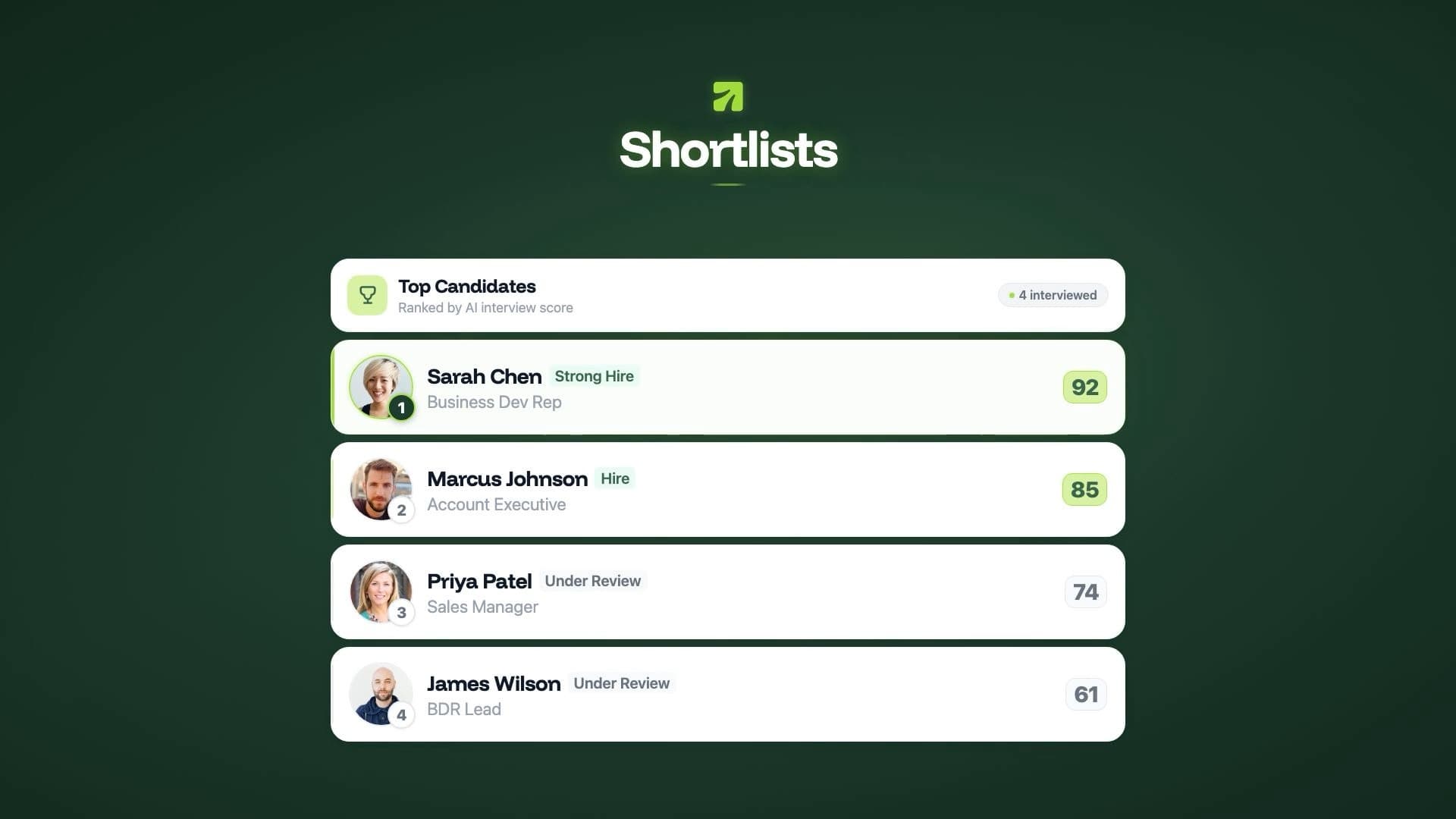
After 4 weeks, iGlobal's recruiters reviewed ranked shortlists instead of raw resume piles.
A Practical Automation Roadmap
You don't need to automate everything at once. Here's a four-week recruitment process automation plan that most agencies follow.
Week 1 — Start With One High-Volume Role
Pick the role with the most applications. Set up an AI interview in under 10 minutes — define the job context, select evaluation criteria, and configure your pass-rate threshold. Send candidates the interview link instead of scheduling phone screens. Review scored shortlists the next morning.
Week 2 — Review Results and Calibrate
Check the score distribution across your first batch. Adjust auto-triage thresholds if needed (shortlist at 70+, reject at 40 or below). Compare the AI shortlist against your team's gut picks — in most cases, the overlap is high, but the AI catches strong candidates you'd have missed in a resume pile.
Week 3 — Expand to Additional Roles
Use interview templates to replicate your setup across similar roles quickly. Enable pre-screening (resume parsing + text questionnaire) for roles where specific credentials or certifications matter. You'll have multiple roles running in parallel with minimal setup time.
Week 4 — Connect to Your ATS
Set up your Zoho Recruit integration or configure webhook events for other platforms. Candidate records, scores, and interview transcripts flow automatically into your ATS. No more copy-pasting between systems — the automation loop is complete.
What to Look for in Recruitment Automation Tools
The market has dozens of tools claiming to automate staffing workflows. For a deeper look at the full technology stack, see our staffing software guide. If you're specifically comparing AI interview platforms, our HireVue alternatives comparison breaks down the key differences. Here's what matters for agencies specifically:
| Category | Tool | Best For | Starting Price |
|---|---|---|---|
| AI Screening | TalentSprout | Pre-screening + AI interviews, 50+ languages | $199/mo |
| Workflow Automation | Herefish (Bullhorn) | Communication sequences, onboarding flows | Contact for pricing |
| Scheduling | GoodTime | Interview scheduling with calendar sync | Contact for pricing |
| Communication | Whippy | SMS + voice candidate engagement | Contact for pricing |
| Assessment | eSkill | Pre-employment skills testing, 800+ tests | Contact for pricing |

From the founder
“Most automation pitches focus on what you can cut. We focused on what recruiters could do with 15 extra hours a week — and it turns out the answer is close more placements, not process more resumes.”
Matthew Stewart
Founder & CEO, TalentSprout
Frequently Asked Questions
Common questions about automated screening, recruitment tools, and AI for staffing agencies
Staffing automation uses software and AI to handle repetitive recruitment tasks — screening resumes, conducting first-round interviews, scheduling follow-ups, and syncing data with your ATS. It replaces manual steps that eat 15–20 hours per recruiter per week, letting agencies process more candidates without adding headcount.
When configured properly, AI screening improves candidate quality. It evaluates every candidate against the same structured criteria — communication, skills, problem-solving — eliminating the inconsistency of manual phone screens. RVS iGlobal saw shortlist quality improve from 16% to 43% after deploying AI screening across 7 roles.
Yes. AI screening tools like TalentSprout start at $199/month with no feature gating — every plan includes pre-screening, AI interviews, scorecards, and integrations. Most agencies recoup the cost in the first week by saving 15+ hours of recruiter time on manual screening.
Most agencies see measurable results within the first week. Setting up an AI interview takes under 10 minutes, candidates can complete screening 24/7, and you'll have ranked scorecards the next morning. The typical ramp to full adoption across multiple roles is 2–4 weeks.
TalentSprout integrates natively with Zoho Recruit via OAuth, with auto-sync of results, auto-creation of candidate records, and multi-region support. For Bullhorn and other ATS platforms, TalentSprout supports webhook events and API access for real-time data flow.
An ATS (applicant tracking system) stores and organizes candidate records. Staffing automation handles the actions between those records — screening resumes, conducting first-round interviews, scoring candidates, and routing results back into your ATS. Most agencies need both: an ATS as the system of record and automation tools to eliminate manual steps in between.
Automated candidate screening typically works in stages. First, resumes are parsed and scored against job requirements. Then candidates who pass pre-qualification receive a link to complete an AI-powered interview on their own time. The system evaluates responses across structured criteria — communication, skills, problem-solving — and produces a scored ranking that recruiters review the next morning.
Start with first-round candidate screening — it’s the highest-volume, most repetitive task and delivers the fastest ROI. Most agencies spend 15–20 hours per week on phone screens. Replacing those with AI-powered interviews saves that time immediately while producing more consistent evaluations. From there, add resume pre-qualification and ATS sync.
Yes — small agencies often benefit the most because they have the fewest recruiters handling the most candidates per person. A 5-person agency processing 200+ applications per month can save 60+ hours monthly with automated screening alone. At $199/month for tools like TalentSprout, the cost per hour saved is under $3.50.
Most candidates prefer automated screening to the traditional process. They can complete interviews on their own schedule — evenings, weekends, from their phone — instead of waiting days for a recruiter to call back. There’s no phone tag, no scheduling conflicts, and every candidate gets the same opportunity to present their qualifications regardless of when they applied.
Continue reading
AI Candidate Screening: The Complete Guide
The definitive guide for recruiters and staffing agencies
AI Resume Screening: How It Works
Pre-screening that filters candidates before the interview
Resume Screening API
Score resumes via REST — for recruiters, platforms, and RecOps
Staffing Software: What Modern Agencies Need
The complete staffing tech stack guide for 2026
7 Best HireVue Alternatives
AI interview platforms compared for 2026
8 Best AI Interviewing Tools (2026)
Compare AI interviewing platforms for staffing agencies
8 Best Bullhorn Alternatives for Staffing Agencies (2026)
The staffing ATS comparison with a 30-day migration plan